
Built by a roofing company. Free for yours.
JTF OS comes from the tools our own roofing company runs on every day: customers, quotes, scheduling, production, photos and contracts you fill in and print. Free forever, with usage limits.
Free forever — limited usage. No credit card. No sales call.

Follow one job through the software.
These are screenshots of JTF OS. The Leads and Quotes ones are a brand-new free workspace with nothing entered yet; the others are a demo workspace, and the names and numbers in them are sample data.
Log the lead
Capture a lead once. Duplicates are caught and the lead is routed into the pipeline.
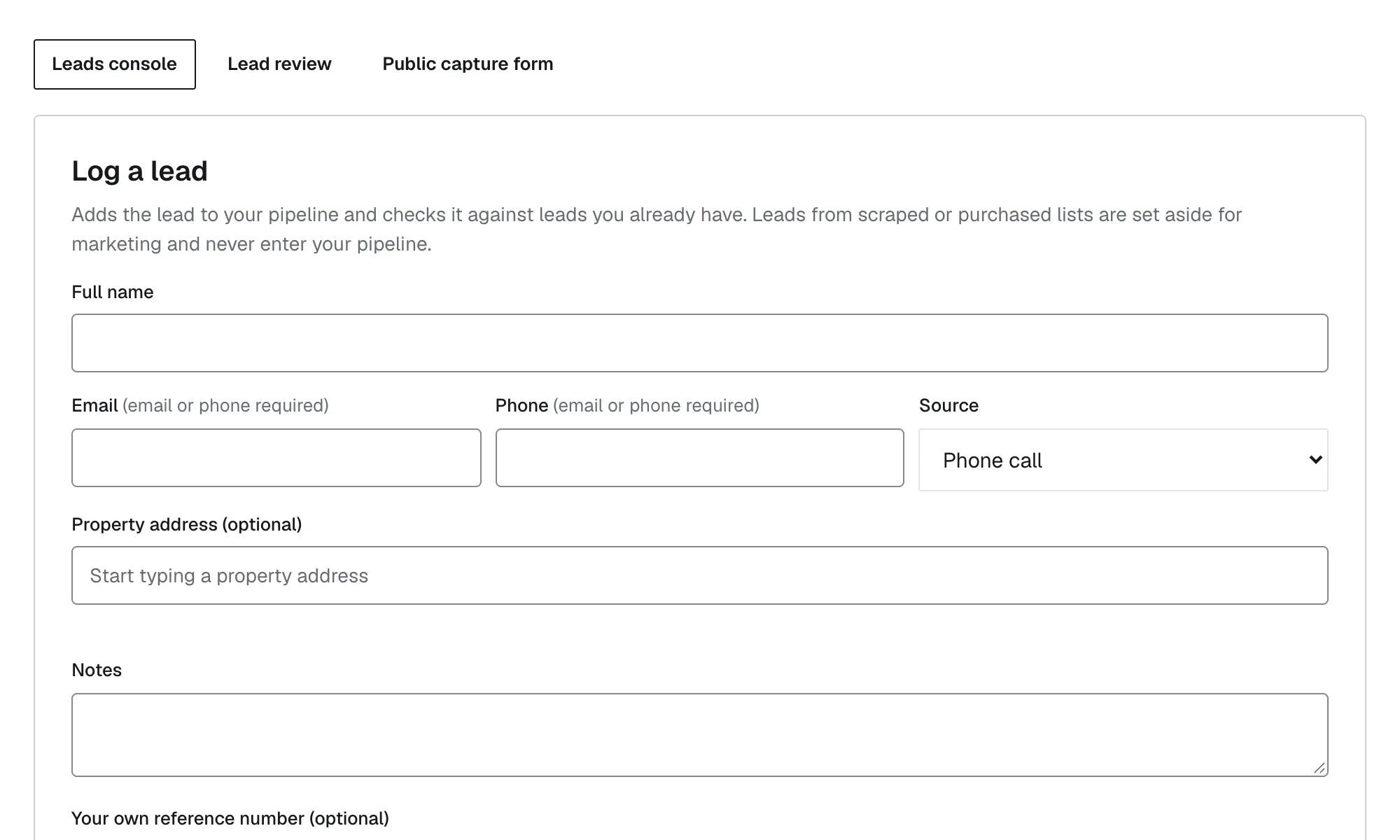
JTF OS / Leads, new free workspace, nothing entered yet Price the job
Set your prices once, then quote in minutes. In the free version you enter the roof measurements yourself.
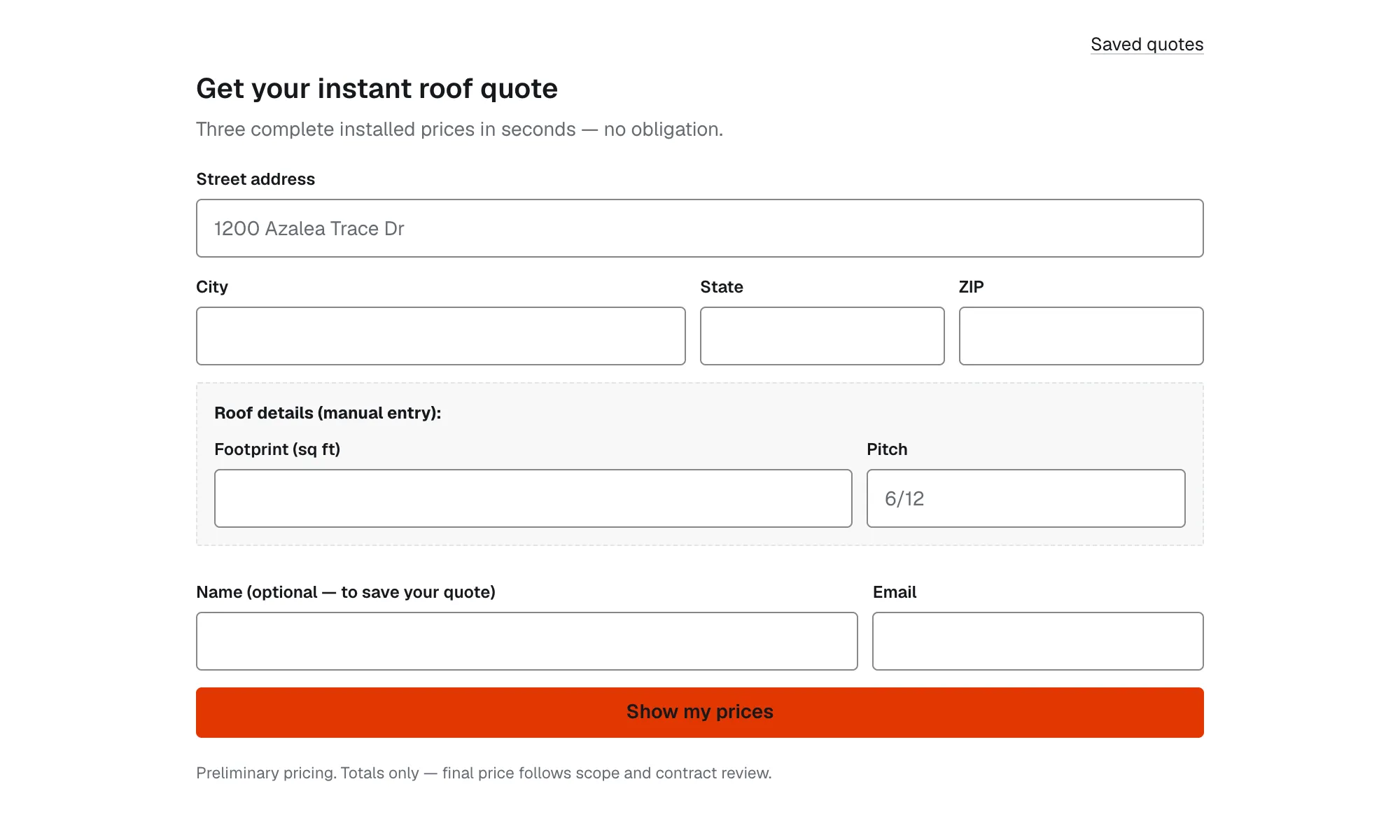
JTF OS / Quotes, new free workspace, nothing entered yet Track the pipeline
See every customer by stage, from new lead to completed.
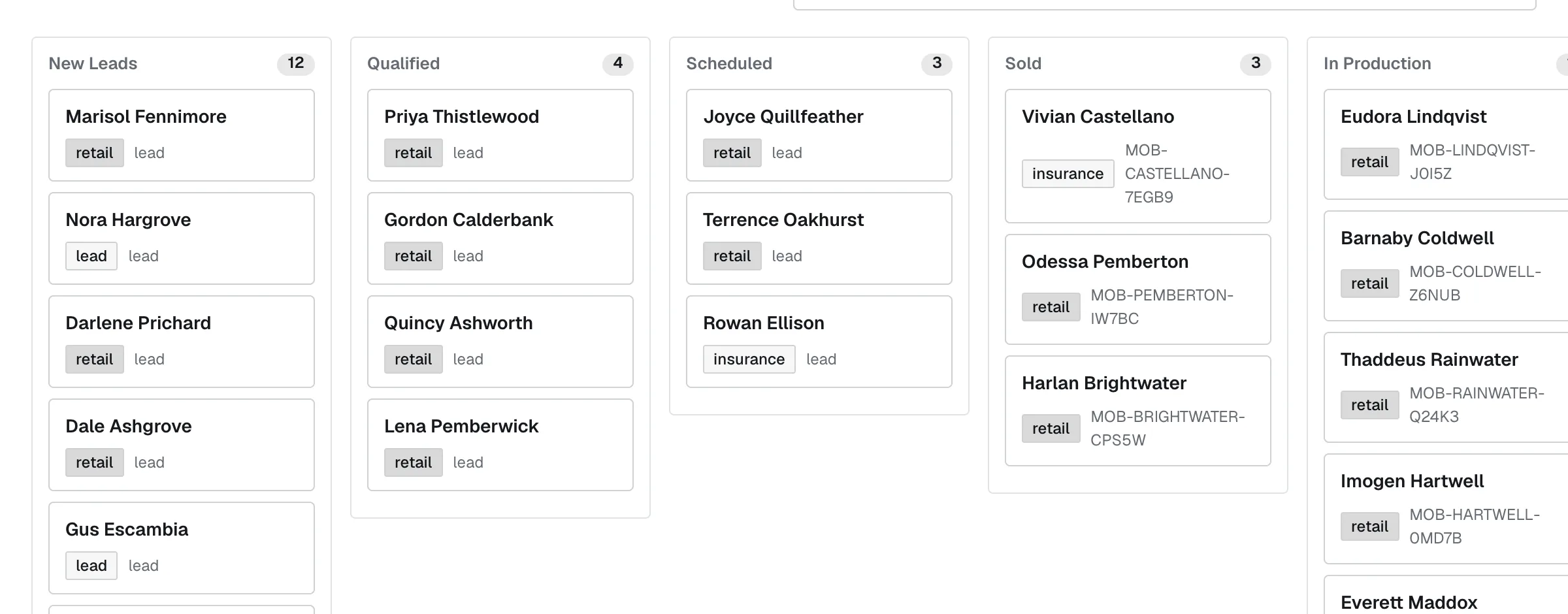
JTF OS / Customers, demo workspace, sample data


Once a job is booked, put the crew on the schedule, track it through production and file job-site photos to it.
What the free version includes.
Set up your company, add your team and start working. Free forever — limited usage.
Sell and estimate
- LeadsCapture and track every inquiry from first contact.
- Sales pipelineSee every opportunity and where it stands.
- Quotes from your own pricesSet your prices once, then quote in minutes.
- Manual roof measurementEnter roof measurements by hand for any quote.
- ContractsFill your contracts with your company's details and print them for signature.
Run the job
- SchedulingPut crews and appointments on one calendar.
- ProductionTrack work from approved to complete.
- Field rep appA phone-ready app for reps out on the job.
- Field Capture photosTake job-site photos on your phone and file them to the job.
Customers and team
- CRM & contractor workspaceEvery customer, property and job in one record.
- Add your teamGive each person on your team their own login.
- Export your dataTake your records with you any time.
What is free, and what is paid.
Premium intelligence services (automated RoofTrue measurements, storm reports, data enrichment, advanced image analysis) are not included in the free version.
RoofTrue roof measurements
Automated RoofTrue measurements are a premium add-on. They are not part of the free version. In the free version you enter roof measurements by hand and still quote from the prices you set.
| Capability | Free version | Premium add-on |
|---|---|---|
| Roof measurements | Manual roof measurement: enter the dimensions yourself | Automated RoofTrue measurementsPremium add-on — available by contacting us |
| Property and lead data | Leads and customers you enter yourself | Data enrichment: property data from our systemsPremium add-on — available by contacting us |
| Contracts | Fill your contracts with your company's details and print them for signature | E-sign your contracts (3 free to try), proposals and other document typesPremium add-on — available by contacting us |
| Weather and storms | Not included | Storm reportsPremium add-on — available by contacting us |
| Photos | Field Capture photos from your phone | Advanced image analysisPremium add-on — available by contacting us |
| Customer reviews | Not included | Customer reviewsComing Planned add-on. Not available yet. |
Premium services are optional. You can run your whole business on the free version without them. A top tier, Full Auto, is planned; its details are not published yet.
Up and running in three steps.
- 1
Create your account
A work email and a password. No credit card.
- 2
Confirm your email
We email you a confirmation link and a 6-digit code. Use either one, so we know the address is yours.
- 3
Set up your workspace
Tell us about your company and the work you do. Then you are in.
Start with the free version.
No credit card. No sales call. Usage limits apply to the free version.